gpxslotAndroid & iOS App
Getting to gpxslot on your mobile device starts with understanding which path suits your phone and your preference — whether that is an Android APK download, iOS browser access, or a web-app shortcut. We at gpxslot have built our platform to work smoothly across all three routes, so you can access our sportsbook and live-dealer tables from wherever you are.
- LoginOTP Verification
- DownloadAPK
- SHA256 Match
- StartFirst Game
Mobile-first access matters because most of our users open gpxslot from a phone rather than a desktop. Your account, your deposits via DANA or e-wallet, your live football bets during Liga 1 matches, and your blackjack sessions in our live studios — all work the same way on a 6-inch screen as they do on a 27-inch monitor. The main difference is speed and convenience. A mobile app or web shortcut saves you from typing a URL every time; push notifications let you know when a promotion or a live match is about to begin.
This guide walks you through downloading or bookmarking gpxslot on Android and iOS, registering your account, and making your first deposit. We also cover the main differences between the APK app and the browser experience, so you can pick the setup that works best for you. Our services are available only where local law permits.
Installation paths on gpxslot
We offer three ways to access gpxslot on a mobile device. Each one is straightforward; none requires a credit card upfront or a long approval process. You simply download the file, install it, or bookmark the site — then create your account and log in.
Click the button that matches your device. You will be taken to our registration page, where you can start your account setup right away.
How to install gpxslot on Android
Android users download an APK file directly from our platform. This method lets you install gpxslot without going through the Google Play Store, so you have full control over the installation. The process takes about two minutes.
-
Download the APK file
Visit our registration page or tap the Android button above. Your phone will begin downloading the gpxslot APK file to your Downloads folder.
-
Allow installation from unknown sources
Go to Settings > Security > Unknown Sources and toggle it on. This tells Android that you trust the file you are about to install.
-
Open the file and install
Open your Downloads folder, tap the gpxslot APK, and follow the on-screen prompts. The app will install in seconds.
-
Launch and register
Open the gpxslot app, tap Create Account, and fill in your email, password, and preferred deposit method — DANA, e-wallet, mobile banking, or another option we support.
iOS and web-app access on gpxslot
iPhone and iPad users cannot install an APK, so we provide a web-based experience instead. Open Safari or another browser, navigate to gpxslot, and you can either log in straightaway or register a new account. Many iOS users also add gpxslot to their home screen as a shortcut, which makes opening the site as quick as tapping an icon.
To create a home-screen shortcut on iOS: open Safari, navigate to our site, tap the Share button, and choose Add to Home Screen. A shortcut icon will appear on your home screen. Tap it anytime to jump straight into gpxslot without typing the URL.

App vs. browser — what is the difference on gpxslot?
Both the Android APK and the browser version let you place bets, join live dealer tables, and manage your account. The main differences are convenience and offline readiness. The APK app caches some data locally, so the interface loads faster on slow networks and certain features remain accessible even if your connection drops for a few seconds. Push notifications also work better on the app — you will get alerts when a promotion launches or when a live match you are following is about to start. The browser version is lighter and requires no install step, so if you prefer not to download anything, it works just as well. Your choice depends on whether you value speed and notifications, or simplicity and portability across devices.
Device compatibility and network requirements for gpxslot
We support Android 7.0 and above, and iOS 12.0 and above. Most phones and tablets from the last five years meet these specs. For the web browser path, any modern browser (Safari, Chrome, Edge, Firefox) works. A stable internet connection — whether WiFi or mobile data — is necessary to place bets, verify your identity, or withdraw funds. On slower networks, the app version of gpxslot performs better because it caches images and interface elements locally.
Troubleshooting common installation issues on gpxslot
If you run into problems installing the Android APK, the most common cause is that Unknown Sources is still turned off. Go back to Settings > Security and confirm it is enabled. Another issue is certificate validation — your phone may warn you that the certificate is unverified. This is normal for APK downloads outside the Play Store; it is a security precaution, not a sign of danger. If you trust the source (our official registration page), you can proceed. Storage space is rarely an issue because gpxslot is lightweight, but if your phone is nearly full, clearing cached data from Settings > Apps may help. For iOS, simply refresh Safari or try a different browser if the site feels slow.
Account security and mobile permissions on gpxslot
When you install the gpxslot app or log in via browser, we ask for certain permissions — location (to verify you are in a supported region), camera (for identity verification photos), and notification access (to send you match and promotion alerts). These permissions are encrypted and stored only on our secure servers. We never share your personal data with advertising networks or data brokers. Your password is hashed before it leaves your device, and all communication between your phone and our servers uses industry-standard encryption. When you deposit via local payment, online payment, e-wallet, or another payment partner, the transaction details stay between you, gpxslot, and the payment processor — we do not store your full card number or banking details.
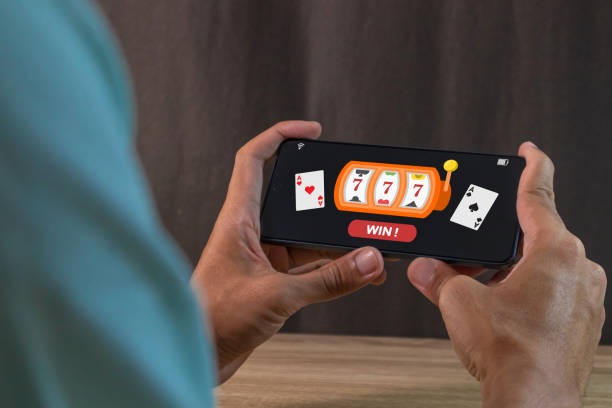
Getting started with gpxslot on mobile
Once your app is installed or your browser shortcut is ready, the next step is registration. You will need a valid email address, a password, and a payment method. We accept deposits from DANA, e-wallet, mobile banking, local payment, online payment, and bank transfers via e-wallet, mobile banking, local payment, or online payment. Your first deposit can be as small as you prefer — there is no minimum amount set by gpxslot, though your payment provider may have its own floor.
After you deposit, your funds appear in your gpxslot account balance instantly. You can then browse our sportsbook — football leagues like Liga 1 and Piala AFF, as well as MotoGP and badminton — or move to the live casino to join a blackjack, roulette, baccarat, or Dragon Tiger table. If you are interested in slots, we offer titles like Aviator, Sweet Bonanza, and Gates of Olympus. Esports fans can find Mobile Legends, Free Fire, and PUBG Mobile markets as well.
Our services are available only where local law permits. Users are responsible for verifying that their access and use of gpxslot comply with their own jurisdiction's law. If you have any questions about registration, deposits, or how to navigate the app, our support team is available via email and in-app chat.
Key points to remember:
- Android APK installs outside the Play Store; enable Unknown Sources first.
- iOS users access gpxslot via Safari or add a home-screen shortcut.
- The app and browser versions offer the same features; the app caches data for faster loading.
- Deposits via e-wallet, mobile banking, and other payment partners process instantly on gpxslot.
- All account data and transactions are encrypted using standard security practices.